

Featured insight
How I Turned a Viral Object-Talk Reel into a Simple Creator Workflow

infected-mushroom
February 24, 2026•5 min read
#explore rentprompts
I was scrolling Instagram one night and stopped at a three-second clip: an apple, with eyes and lips, whispering from inside a stomach. It was funny, weird, and impossible to ignore. That single moment sparked an idea what if creators could make that exact format in one click, without hunting for voice actors, animators, or complicated tools?
That thought stayed with me.
Over the next few days, I kept noticing similar reels food items talking from inside the body, delivering one sharp line, and ending before you even realized it. They were short, surprising, and highly shareable. And they all followed the same simple structure:
- One product
- One powerful dialogue
- One clear inside-the-body effect
- A tight 7–8 second runtime
I realized the format was simple. The process to create it was not.
So I decided to build a workflow that makes this format easy for creators.
The Idea Behind This Workflow
Many creators spend hours creating just a few seconds of content. They search for voice tools, animation tools, editing software, and then manually adjust everything to fit vertical platforms.
I wanted to remove that complexity.
The goal was simple:
Make it so anyone can create an object-talk video in minutes without technical knowledge.
How the Workflow Works
The entire process is designed to reduce effort.
- Enter the product name.
- Choose your language.
- Click generate.
That’s it.
Within a few minutes, you get an 8-second vertical video that’s ready for Reels, Shorts, or TikTok.

Why I Built It This Way
I didn’t build this to complicate content creation. I built it to ease the user’s work.
Instead of focusing on how prompts are structured behind the scenes, I focused on what creators actually need:
- Simplicity
- Speed
- Consistency
- Multi-language support
- Platform-ready format
Creators don’t want to manage five different tools for an 8-second clip. They want to test ideas fast and publish consistently.
This workflow allows exactly that.
Where Creators Can Use It
This format works well for:
- Brand marketing videos
- Product awareness campaigns
- Health and nutrition content
- Educational short clips for kids
- Influencer reels
- Quick creative testing
The short runtime makes it easy to post frequently without heavy editing.

The Simple Input Interface
The interface is intentionally minimal so users are not overwhelmed.
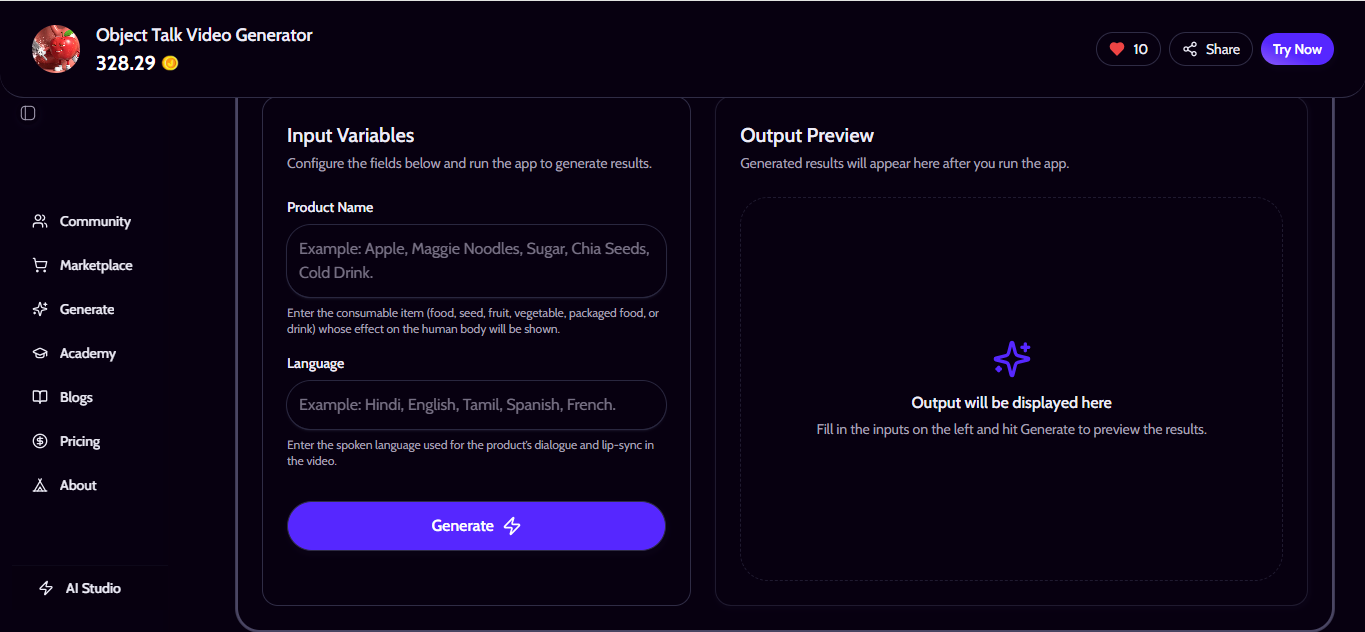
Only two inputs are required:
- Product name
- Language
Everything else runs automatically in the background.
You Can Access It Here
You can try the workflow from this link:
If you’re curious about how the system is structured, the full prompt is also available separately for those who want to study or customize it further.
Final Thoughts
This project started from a simple scroll moment a strange but memorable apple whispering inside a stomach.
What made it powerful wasn’t complexity. It was clarity.
I built this workflow to make that same clarity accessible to creators so they can focus on ideas, not technical steps.
Type a product.
Choose a language.
Generate.
Sometimes simple systems create the most impactful content.
0 Comments

No comments yet. Be the first to start the discussion!