TL;DR
- Muse Spark 1.3 is Meta’s newest frontier model, built for long documents, coding, and multi-step agent work.
- It’s live on RentPrompts, which is exactly why it’s the model we’re covering here.
- Standard pricing is $1.25 per million input tokens and $4.25 per million output tokens.
- It leads on long-context and coding, trails Claude Opus 5.5 on general agent tasks, and isn’t the model to reach for if your work is audio-heavy.
- Try it directly: Muse Spark 1.3 on RentPrompts
I tested a handful of text models this month looking for one thing: something that wouldn’t lose the thread on a long task. Most models start strong and drift by the time you’re a few thousand words in. Muse Spark 1.3 was the one that didn’t, and that’s the whole reason it’s worth writing about.
The Problem Most Text Models Have
Anyone who’s tried to use AI for a genuinely long task runs into the same wall eventually:
- Will it still remember what I said at the start of a long document by the time it reaches the end?
- Does it actually finish a multi-step task, or does it drift halfway through and need babysitting?
- Can it work across a whole codebase, not just the one file I pasted in?
- Will the bill scale sanely if I’m running this hundreds of times a day?
Most models answer “sort of” to at least one of those. Muse Spark 1.3 is specifically built to answer “yes” to the first three, and “surprisingly well” to the fourth.
Why We Picked This One to Cover
There’s a new AI model announced practically every week right now, and most of them aren’t worth a dedicated guide. Muse Spark 1.3 earned one for a simple reason: it’s actually live on RentPrompts’ Generate hub, not just something we read about elsewhere and are explaining secondhand. Everything below, we pulled from using it and from Meta’s own published numbers, not from guessing.
What Is Muse Spark 1.3, in Plain Terms?
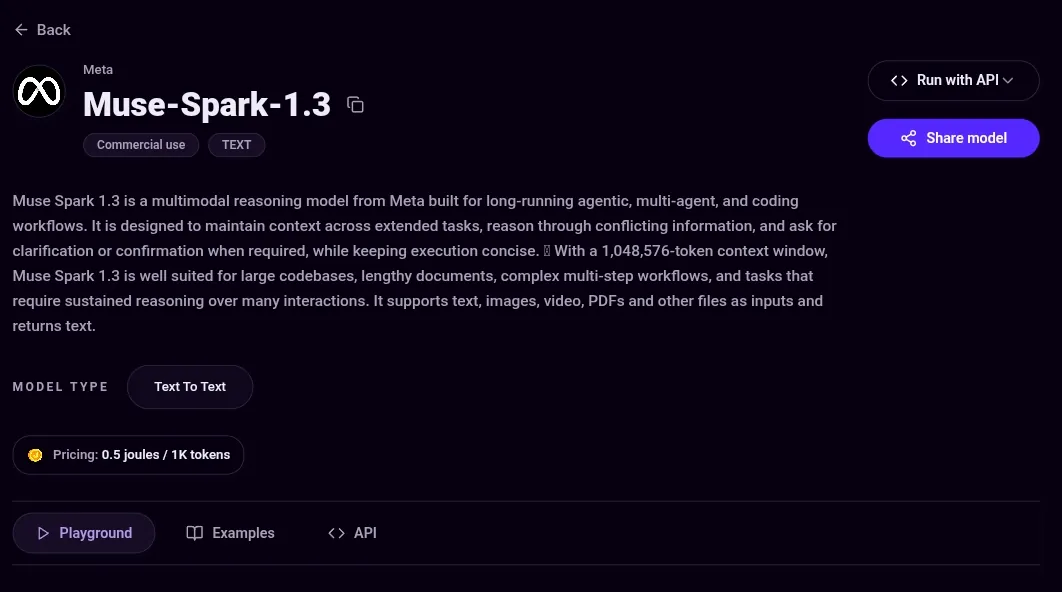
Muse Spark is Meta’s current model family, built by Meta Superintelligence Labs to replace the older Llama line. Where a lot of models are built as general chat assistants first, Muse Spark 1.3 is tuned specifically for long, multi-step work: writing and editing code across a whole project, working through a long document without forgetting what was on page one, or carrying out a task that takes several steps in a row.
Released September 2, 2026, it’s also the model quietly running Muse, Meta’s first real attempt at a personal AI agent that does things on your behalf instead of just answering questions.
One thing worth clearing up, since it gets misreported a lot: Muse Spark 1.3 is not openweight. You can’t download it and run it yourself. If that’s what you’re after, the model you want is Muse Glimmer, a separate, smaller, Apache 2.0-licensed model. Spark and Glimmer are not the same thing.
What Makes It Worth Using
A full 1 million token context window. Feed it long transcripts, entire codebases, or lengthy reports, and it holds onto detail from the start of the conversation instead of quietly forgetting it a few pages in.
Handles text, images, video, and documents natively. You don’t need a separate pipeline to mix input types, paste a screenshot alongside your text prompt and it reasons about both together.
Noticeably more efficient than its predecessor. Meta reports roughly 20% fewer tool calls and 25% fewer tokens than Muse Spark 1.2 to finish the same task, which translates directly into a lower bill for identical work.
Adjustable reasoning effort. You can dial it down for quick, simple requests or up to xhigh for genuinely hard multi-step problems, instead of paying maximum compute for every single request regardless of how hard it actually is.
Priced well below most models that outscore it. This is the part that makes it interesting rather than just competent, more on that below.
What Does It Cost?
Standard pricing is $1.25 per million input tokens and $4.25 per million output tokens, with cached input at $0.15 per million. That’s unchanged from the previous version. A cheaper Contributor tier exists too, roughly $0.10 to $0.20 per million tokens, but it comes with a real trade-off: Meta gets permission to train on your prompts at that tier, so it’s not something to use for sensitive work.
To put that in perspective, a side-by-side cost test running 100 requests a day worked out to about $10 a month on Muse Spark 1.3, against roughly $52 a month on Claude Opus 5 for the identical workload. That’s not a small gap.
How Does It Actually Perform?
It’s genuinely strong in two areas and honestly behind in a third:
- Long context: its best category by far. On a 512K to 1M token retrieval test, it scored 98.1%, well ahead of GPT-5.6 Sol’s 73.8% on the same test.
- Coding: strong and competitive, tying GPT-5.6 Sol on Terminal-Bench 2.1 and edging past Claude Opus 5.
- General agent tasks: this is where it falls behind. Claude Opus 5 leads on several agent benchmarks, worth knowing before you pick Muse Spark 1.3 for a workflow that’s mostly open-ended agent work rather than coding or long-context retrieval.
One more limit: audio understanding in 1.3 isn’t fully supported yet, by Meta’s own admission. If your workflow is audio-heavy, stick with 1.2 or a dedicated audio model for now.
A Quick Word on Safety
This matters more than most feature lists mention. Meta evaluated Muse Spark 1.3 against its Advanced AI Scaling Framework before release, covering frontier risk categories like cybersecurity and loss of control, and reports the model operates within safe margins, with notably better resistance to prompt injection and lower hallucination rates than its predecessor. Worth knowing if you’re planning to give it real autonomy over tasks rather than just asking it questions.
How to Try It on RentPrompts
- Open Generate and go to the Text tab.
- Search for Muse Spark 1.3 if it’s not already pinned in the shortcuts.
- Set the reasoning effort to match the task, don’t default to xhigh for a simple request, it costs more for no real benefit.
- Run your prompt. If you’re unsure whether it’s the right fit, send the same prompt to another model in Text Arena and compare the two outputs before committing.
Where It Fits and Where It Doesn’t
If your work is long documents, large codebases, or anything where cost per task matters more than squeezing out the top benchmark score, Muse Spark 1.3 is a genuinely good fit. If you need the single best agent-benchmark performance and budget isn’t the constraint, Claude Opus 5.5 is still ahead there. And if you need something you can self-host, that’s Muse Glimmer, not this.
A Few Questions You’ll Probably Have
Is it free? No, it’s a paid model, covered through your normal Generate credits on RentPrompts.
Is it the same as the open-source Meta model I’ve heard about? No, that’s Muse Glimmer, a different and smaller model. Easy to mix up, worth keeping straight.
Is it better than Claude or GPT? Depends what you’re doing. Better and cheaper for long documents and coding. Behind Claude Opus 5.5 on general agent tasks. Not the one to pick if your work is audio-heavy.
Is it safe to give it real autonomy, like letting it take actions on my behalf? Meta’s own safety evaluation says it operates within safe margins on frontier risk categories, with good resistance to prompt injection. That’s a reasonable baseline, but it’s still worth reviewing output on anything high-stakes rather than running it fully unsupervised.
Will this guide get updated if things change? Yes. Model pricing and rankings in this space move fast, sometimes more than once a month, so treat the numbers above as a snapshot rather than permanent.
Final Thoughts
Most model releases aren’t worth a dedicated write-up, and we don’t cover every one that lands. Muse Spark 1.3 got one because it’s actually usable right now, on RentPrompts, at a price that makes it worth testing even if you’re happy with your current model. The long-context handling alone is worth trying it for. �