Here is a workflow most online sellers know too well. Shoot the product on your phone. Open one app to remove the background. Open another to place it in a nicer scene. Open a third to add "Festive Sale, Flat 40% Off" in a font that does not look terrible.
Three tools, three exports, and the text still ends up slightly blurry.
Alibaba's
Qwen Image 2.1 is built to collapse that into one step. It edits images, makes true transparent PNGs, and renders readable text, all in a single compact model. And it is live on
RentPrompts, so you can try it in the browser playground or call the
Qwen Image 2.1 API without owning a GPU or juggling five subscriptions. It costs
2 joules per generation.
Here is what it does well, how to run it, and the one licensing detail most coverage skips.
What Is Qwen Image 2.1?
Qwen Image 2.1 is an image model from Alibaba's Qwen team, released as open weights in September 2026. It combines image generation and image editing in one model, and its visual generation component has just 7 billion parameters across 32 DiT layers. That is small by today's standards, which is exactly the point: good quality at a lower compute cost.
The Qwen team highlights four upgrades:
- Compact and efficient: a lighter architecture with caching tricks that speed up multi-image edits.
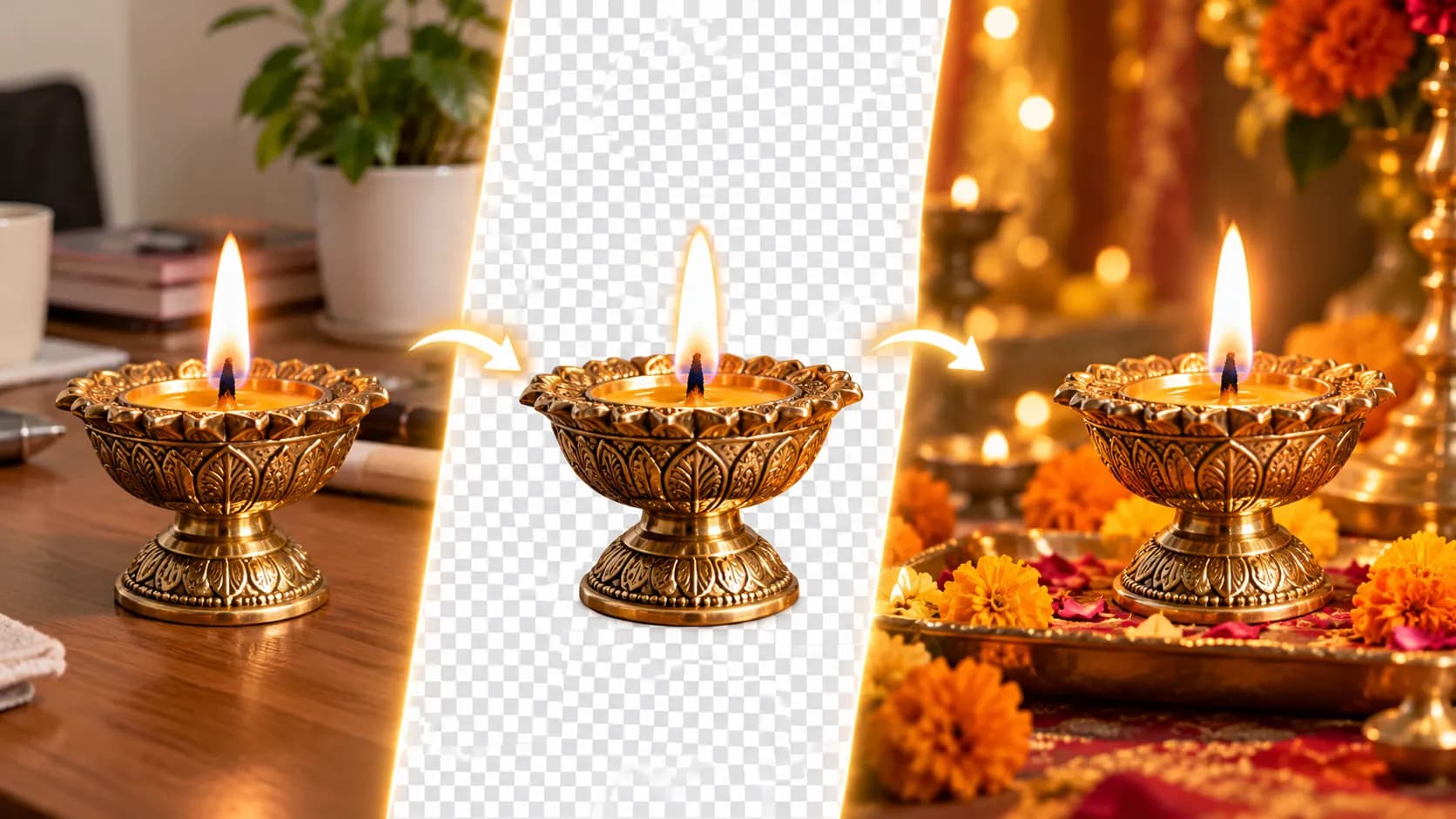
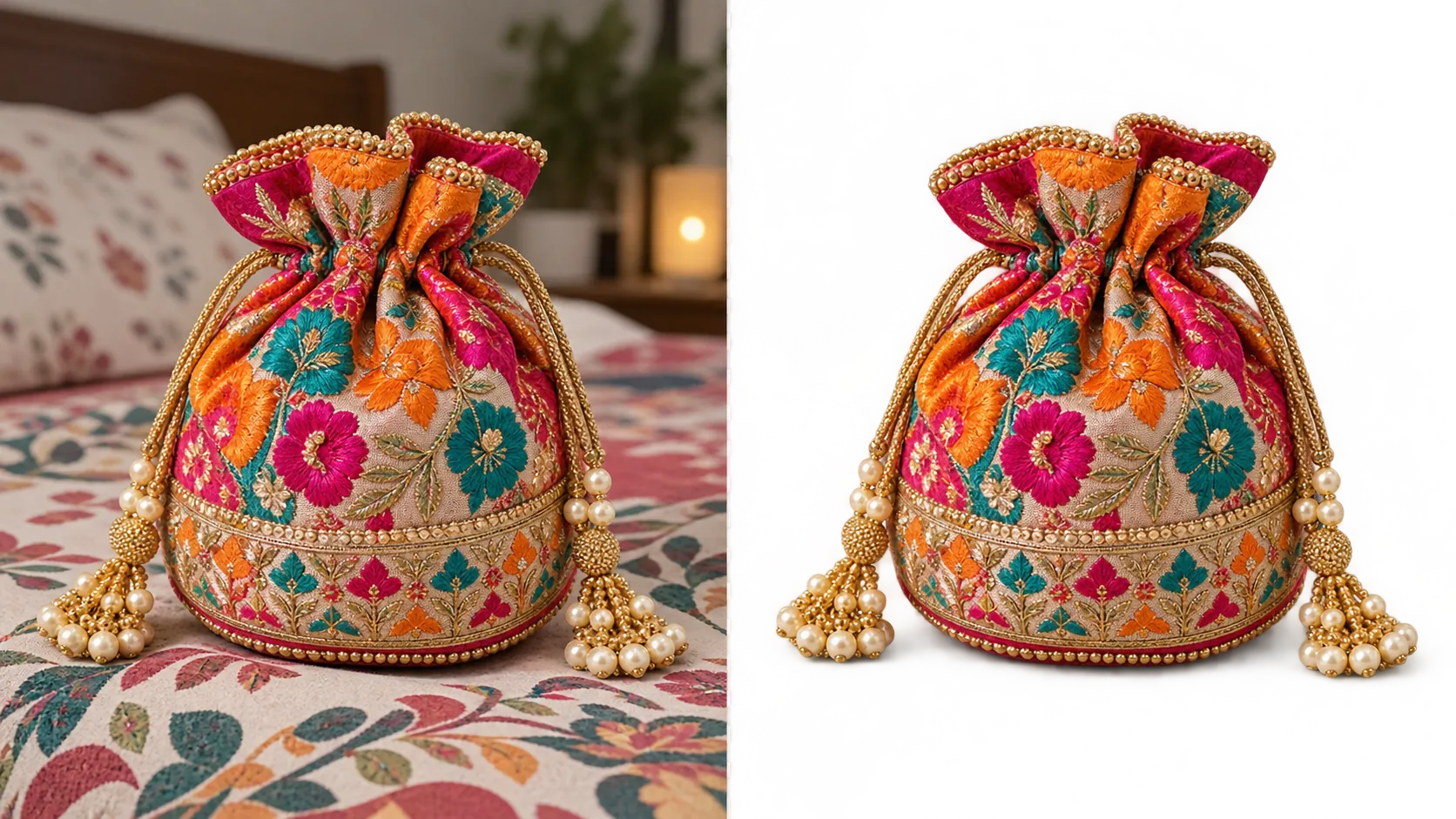
- Native transparency: generate RGBA images, edit transparent layers, and extract subjects from photos.
- Versatile editing: up to 10 reference images, plus local edits marked with circles, scribbles, or masks.
- Better finish: improved typography, portrait lighting, and fine detail.
The Standout Feature: Real Transparent PNGs
Most image models give you a flat JPEG, so you still need a background remover.
Qwen Image 2.1 can output a PNG or WebP with a
real alpha channel, and it can pull a subject straight out of an existing photo as a transparent asset.
That is useful for stickers, product cutouts, logo elements, thumbnail assets, and anything you plan to drop onto another design.
On RentPrompts, both switches sit right there in the playground under Advanced Settings. Two rules make or break it:
- Describe only the subject. If your prompt mentions a table, a room, or a background, you may get an opaque image back.
- Do not pick JPEG. JPEG has no transparency, so choose PNG or WebP.
Editing With Up to 10 Reference Images
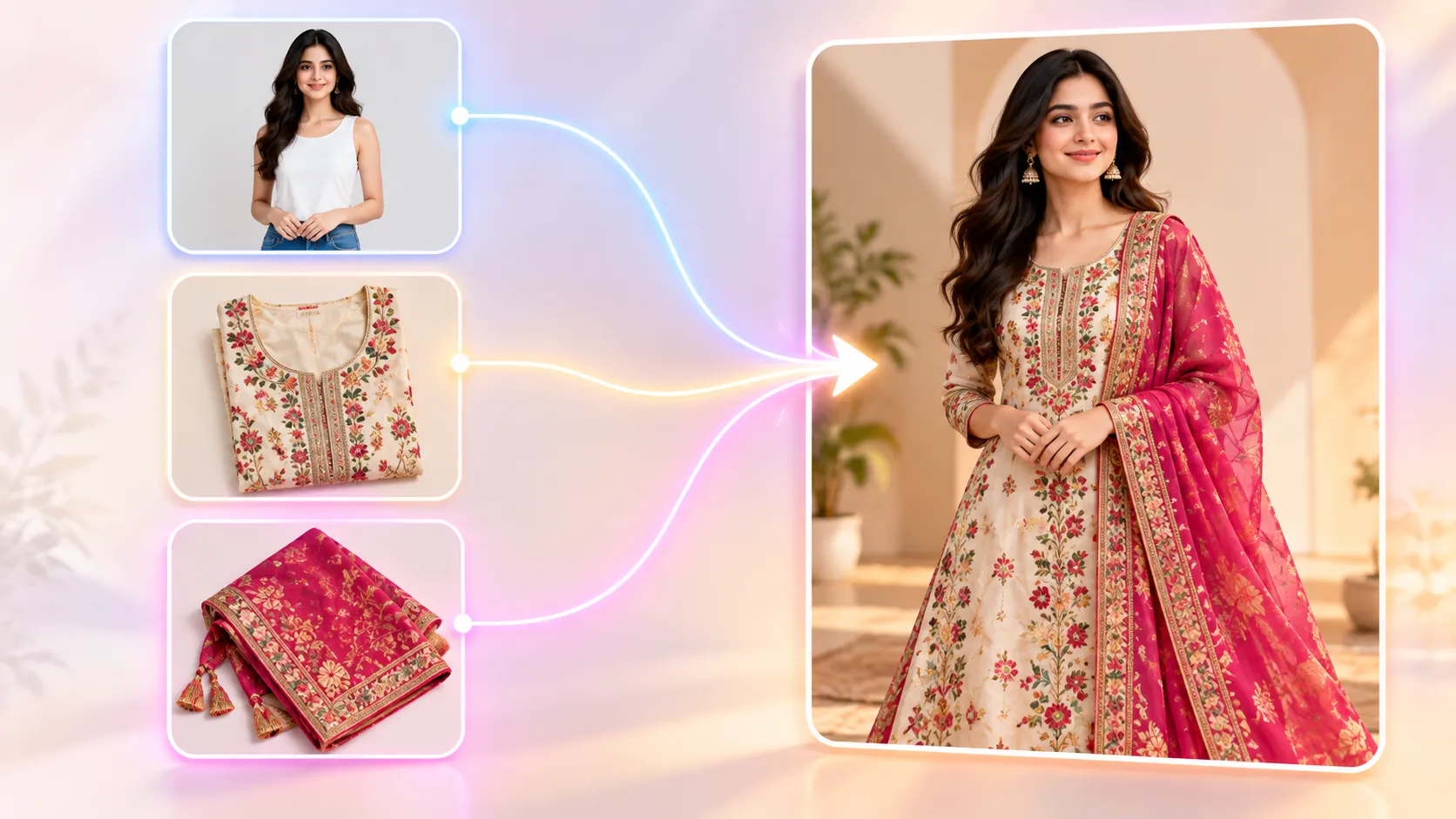
The image-to-image mode accepts 1 to 10 reference images and lets you refer to them in order: "the first image," "the second image," and so on. On
RentPrompts, you simply upload them in the Reference Images box. That opens up practical use cases:
- Virtual try-on: put the kurta from image 2 and the juttis from image 3 on the model in image 1.
- Product sets: arrange five separate product shots into one hamper photo.
- Group photos: combine people shot separately into one natural frame.
Two tips from testing are worth following. Stay within four references when detail matters, since each extra image dilutes fidelity. And use a landscape ratio like 3:2 or 16:9 when combining several people or products.
For small fixes, use a black and white mask with one reference image. White areas change; black areas stay untouched.
How to Use Qwen Image 2.1 on RentPrompts
No-code route (playground):
- Sign up on RentPrompts and recharge a few joules from the Pricing page.
- Open the Qwen Image 2.1 model page from Generate → Image.
- Upload your reference images and write your prompt. Set background and output format under Advanced Settings.
- Hit Run and download the result from the output panel. Every generation also lands in My Assets.
Developer route (API):
Click Run with API on the model page and grab your API key. Every RentPrompts model runs through one endpoint, so switching models later means changing a single line.
import requests url = "https://payload.rentprompts.com/api/v1/run" api_key = "YOUR_API_KEY_HERE" payload = { "model": "qwen2.1-image-to-image", "prompt": "Extract the brass diya from the first image, keep the flame and metal texture", "settings": { "image_urls": ["https://your-cdn.com/diya-photo.jpg"], "background": "transparent", "output_format": "png" } } headers = { "Content-Type": "application/json", "Authorization": f"users API-Key {api_key}" } response = requests.post(url, headers=headers, json=payload) print(response.json())
What the model supports on RentPrompts:
| Setting |
Options and notes |
| Reference images |
Up to 10. Stay within 4 when fine detail matters. |
| Resolution |
1K or 2K. 2K is sharper but slower. |
| Aspect ratio |
Multiple ratios, from square to wide and tall |
| Background |
opaque or transparent |
| Output format |
png, webp, or jpeg (no transparency with jpeg) |
| Prompt enhancement |
Expands short prompts into fuller scenes |
| Mask |
Optional, for localized edits |
| Price |
2 Joules per generation |
If you get an insufficient balance error, top up Joules from your profile. A 401 means your API key is wrong or inactive.
3 Ready Prompts for Indian Sellers and Creators
1. Festive sale poster from your product photo
Upload: your product photo. Prompt: Place the product from the first image in the centre of a vertical Diwali sale poster, deep maroon and gold palette, rows of glowing diyas and marigold garlands at the bottom, large elegant headline text "FESTIVE SALE" and smaller text "Flat 40% Off", premium minimal layout, soft bokeh lights. Aspect ratio 9:16.
2. Transparent product sticker
Upload: a phone photo of your masala dabba. Prompt: A steel masala dabba with open lid showing turmeric, chilli and cumin, top-down angle, sharp detail, soft studio lighting. Background: transparent. Format: PNG.
3. Try-on edit with references
Upload: model photo, kurta photo, dupatta photo. Prompt: Dress the woman in the first image in the kurta from the second image and the dupatta from the third image. Keep her face, pose and the original lighting unchanged. Aspect ratio 3:4.
Want polished, tested prompts instead of starting from scratch? Browse the photography prompt packs on the RentPrompts marketplace and plug them straight into Qwen Image 2.1.
Not Sure It Beats Your Current Model? Test It Side by Side
Qwen's claim that 2.1 is among the strongest open image models comes from its own benchmark. Do not take it on faith. RentPrompts has an Image Arena where you can run the same prompt on Qwen Image 2.1, Nano Banana Pro, Seedream, and others, then pick the output that actually works for your product. Five minutes of testing beats a week of reading reviews.
Open Weights vs. Hosted: The Licensing Catch
"Open source" does not automatically mean "free for business." According to launch coverage, the downloadable Qwen Image 2.1 weights ship under the Qwen Research License, which does not allow commercial use without a separate grant from Qwen.
RentPrompts lists its hosted Qwen Image 2.1 with a commercial use tag. If you are selling products or running paid campaigns, the hosted route is the simpler one, but read the RentPrompts terms and confirm they cover your use case. If you plan to self-host the weights for a business, apply for Qwen's commercial license first.
Build Something With It
If you are a developer or a prompt creator, there is a second opportunity here. You can wrap your best Qwen Image 2.1 workflow (say, "kurta try-on in one click" or "Diwali poster from any product photo") into an AI app on RentPrompts and list it on the marketplace. Other sellers pay to use it, and you earn every time it runs.
The Bottom Line
Qwen Image 2.1 is not trying to be the biggest model. It is trying to remove steps. Transparent assets, multi-image edits, and readable text in one compact model make it a strong fit for sellers, designers and anyone building image tools on a budget. Open it on RentPrompts, keep your prompts specific, compare it in the Arena, and check the license before you ship.
Frequently Asked Questions
What is Qwen Image 2.1?
It is Alibaba Qwen's compact image model that handles image generation and editing in one model, with a 7B-parameter visual generation component and native transparent image support.
Where can I use Qwen Image 2.1 without a GPU?
On RentPrompts. You can run it in the browser playground or through the RentPrompts API, with no setup or subscription. You pay per generation in Joules.
How much does Qwen Image 2.1 cost on RentPrompts?
2 Joules per generation at the time of writing. Check the model page for the current price.
Can Qwen Image 2.1 create transparent PNG images?
Yes. Set the background to transparent and the output to PNG or WebP, and describe only the subject in your prompt.
How many reference images does Qwen Image 2.1 support?
Up to 10. For the best detail on each item, stay within four.
Is Qwen Image 2.1 free for commercial use?
The open weights are under a research license that needs a separate grant for commercial use. The hosted version on RentPrompts is tagged for commercial use, but check the terms for your specific case.
Better images start with better promptsQwen Image 2.1 gives you the engine. The prompt decides whether you get a scroll-stopping product shot or a forgettable one. Open Qwen Image 2.1 on RentPrompts, grab a ready-made photography prompt from the marketplace, and ship your next festive campaign visuals in minutes, for 2 Joules an image.