Qwen Image 2.1 on RentPrompts: What It Does and How I Would Use It
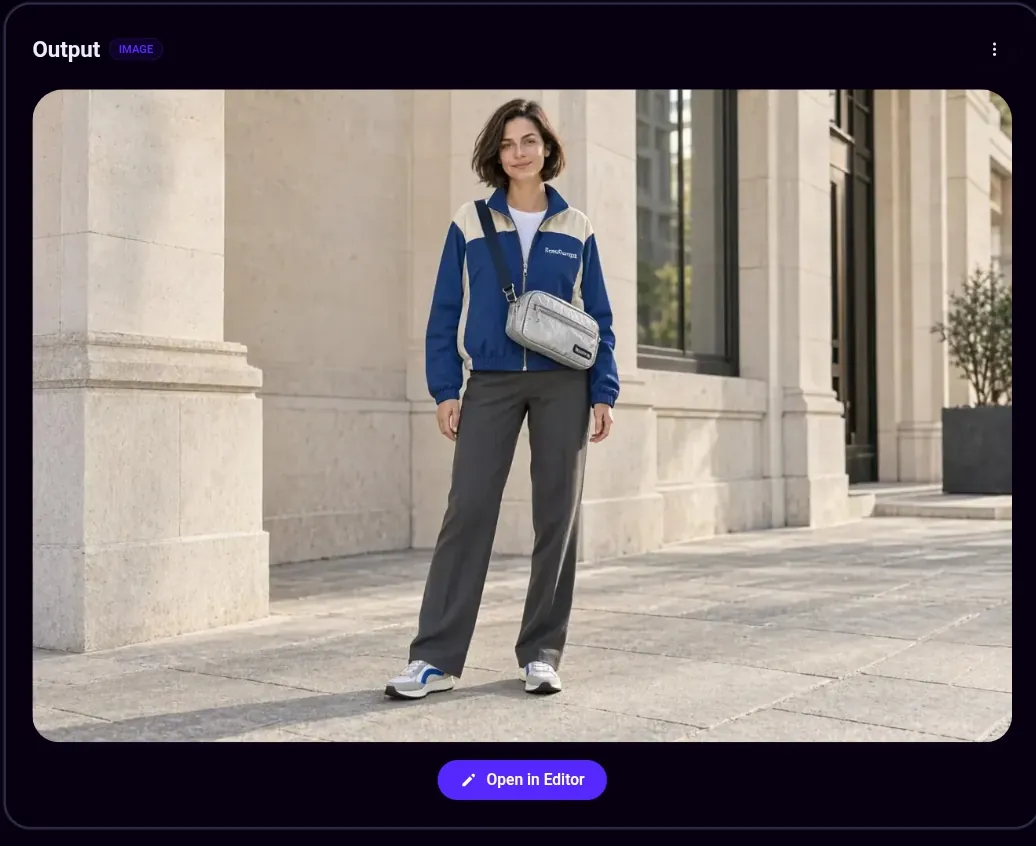
Image caption: Qwen Image 2.1 output on RentPrompts: a woman in a blue and cream jacket with a silver crossbody bag, standing outside a stone building.
TL;DR
Qwen Image 2.1 is Alibaba’s compact image generation and editing model, and the Image to Image version is live on RentPrompts. It takes up to 10 reference images, supports 1K and 2K output, transparent backgrounds and masked edits, and at the time of writing it costs 2 Joules per generation. The one thing to check is the license: the open weights are research-only, while the RentPrompts listing is tagged for commercial use.
What is Qwen Image 2.1?
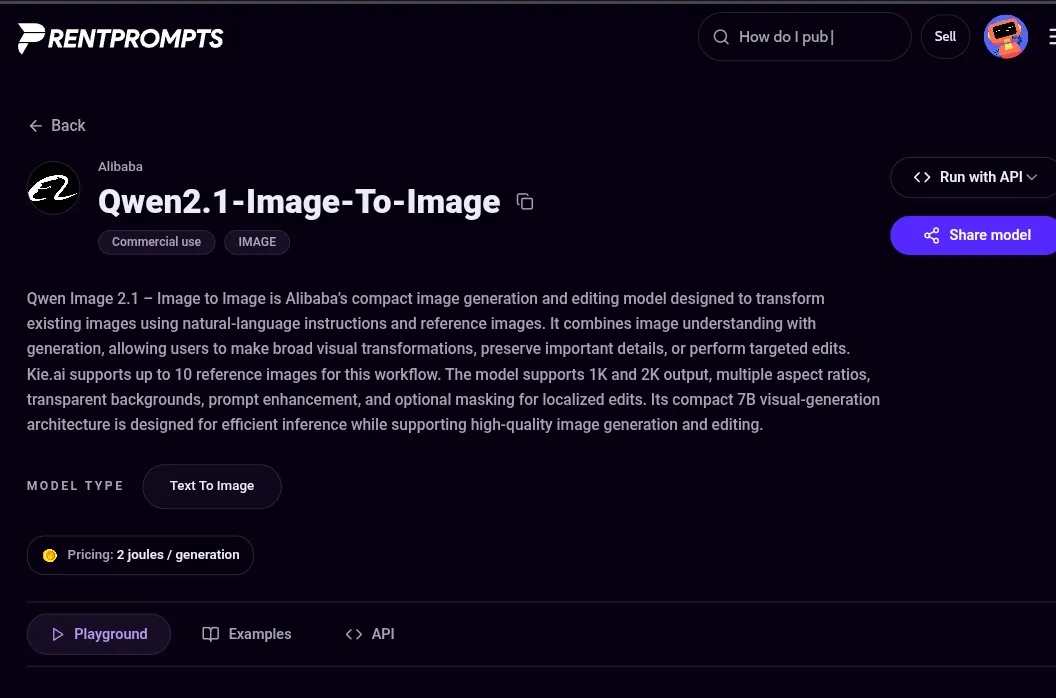
Qwen Image 2.1 is Alibaba’s compact model for generating and editing images with plain-language instructions. The RentPrompts listing, Qwen2.1-Image-To-Image, describes it as a model that combines image understanding with generation, so you can make broad visual changes, preserve important details or do targeted edits. It uses a compact 7B visual-generation architecture built for efficient inference.
Image caption: The Qwen2.1-Image-To-Image listing on RentPrompts showing Alibaba as the provider, the Commercial use tag and the price of 2 Joules per generation.
What can it do?
Based on the listing, at the time of writing:
- Up to 10 reference images for this workflow (via Kie.ai).
- 1K and 2K output in multiple aspect ratios.
- Transparent backgrounds, with PNG or WebP output.
- Prompt enhancement to help tidy a rough prompt.
- Optional masking for localized edits, so you change one area instead of the whole image.
How do I use Qwen Image 2.1 on RentPrompts?
- Open the model page and stay on the Playground tab (there are also Examples and API tabs).
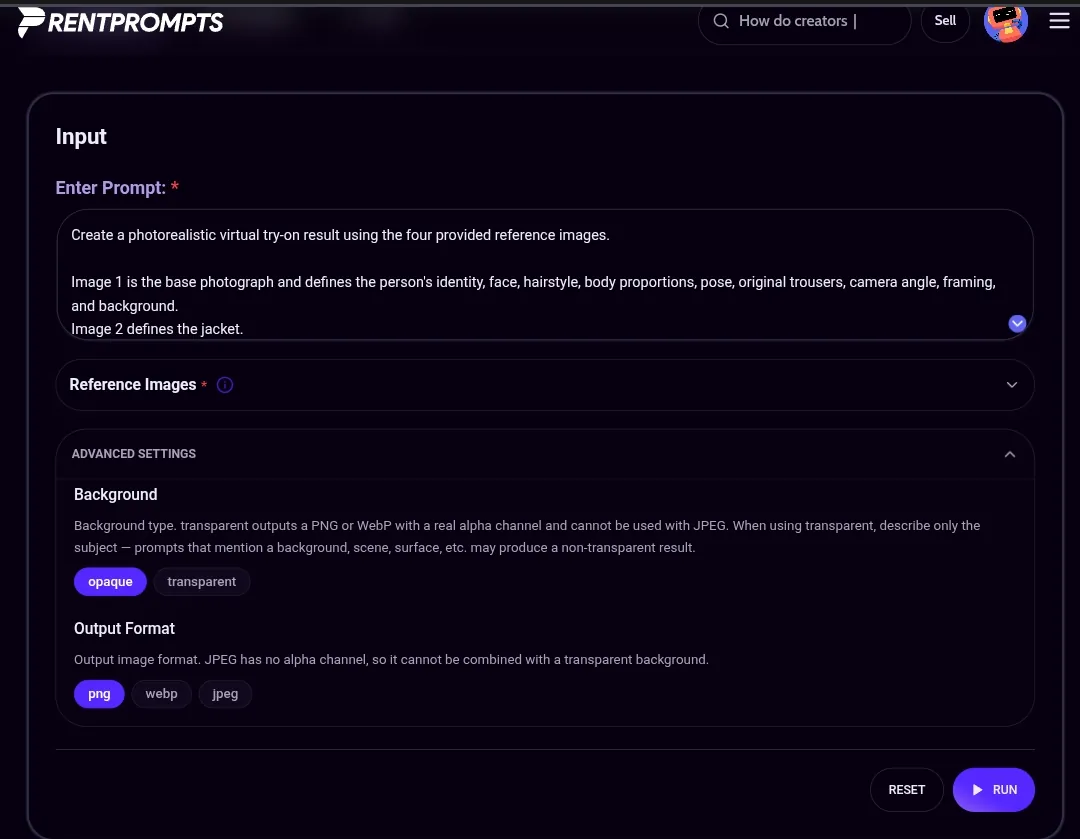
- Enter your prompt. Say what each reference image is for, for example: “Image 1 is the base photograph, Image 2 defines the jacket.”
- Add your reference images.
- Open Advanced settings and choose Background (opaque or transparent) and Output Format (PNG, WebP or JPEG).
- Press Run and check the result in the Output panel.
Image caption: The Qwen2.1-Image-To-Image Playground with a virtual try-on prompt, a Reference Images section, and Advanced Settings for background and output format.
Two settings notes from the page itself: transparent output needs PNG or WebP, because JPEG has no alpha channel, and when you choose transparent you should describe only the subject, since mentioning a background or scene may give a non-transparent result.
What does a real result look like?
The example above is a virtual try-on. The prompt asks for a photorealistic result from four reference images, where Image 1 is the base photograph that fixes the person’s identity, face, hairstyle, body proportions, pose, trousers, camera angle and background, and Image 2 defines the jacket. The output shows the same standing pose against a stone building, now wearing a blue and cream jacket and carrying a silver crossbody bag. That is the strength of reference-based editing: you describe the role of each image, and the model changes only what you asked for.
What should I check before using it commercially?
The RentPrompts listing carries a
Commercial use tag. Separately, I read reports that the open-weight release of Qwen Image 2.1 uses a research-only license, unlike earlier Apache 2.0 Qwen-Image models. I could not confirm how the two fit together, so if your work is for a paying client, confirm the terms for usage through RentPrompts with
Support before you deliver.
Where can I compare it with other models?
Run the same prompt in the
Image Arena against another model before you pick one for a regular workflow. You can start from the
Generate hub, and find prompts and tools on the
Marketplace.
FAQ
Is Qwen Image 2.1 available on RentPrompts?
Yes. The Image to Image version, Qwen2.1-Image-To-Image, is listed.
How much does it cost?
At the time of writing, the listing shows 2 Joules per generation.
How many reference images can I use?
Up to 10 for this workflow.
Can it make transparent backgrounds?
Yes. Choose transparent in Advanced settings, use PNG or WebP, and describe only the subject.
Can I use the results commercially?
The listing is tagged Commercial use, but the upstream open weights are reported as research-only, so confirm with Support for client work.
Can I edit just one part of an image?
Yes, the model supports optional masking for localized edits.